Overview
A complete Tetris clone that runs as an Astro server-rendered page with a client-side React island for the game board. It uses HTML5 Canvas for rendering the grid, Web Audio API for sound effects, and Tailwind 4 design tokens so it stays consistent across both Rony Classic and Modern visual variants.
Demo behavior
The local demo renders a full game grid with piece preview, hold queue, next-pool display, ghost piece, scoring, levels, and line-clearing animation frames. All keyboard controls are wired to the native game loop — left, right, down, rotate, spawn, hard-drop, pause — with no external dependencies.
On smaller screens, the board scales to the available width and exposes touch controls for movement, rotation, hard drop, pause, and restart.
On mobile, tap the board to rotate the piece, swipe down to hard-drop it, and use the side arrows to move left or right.
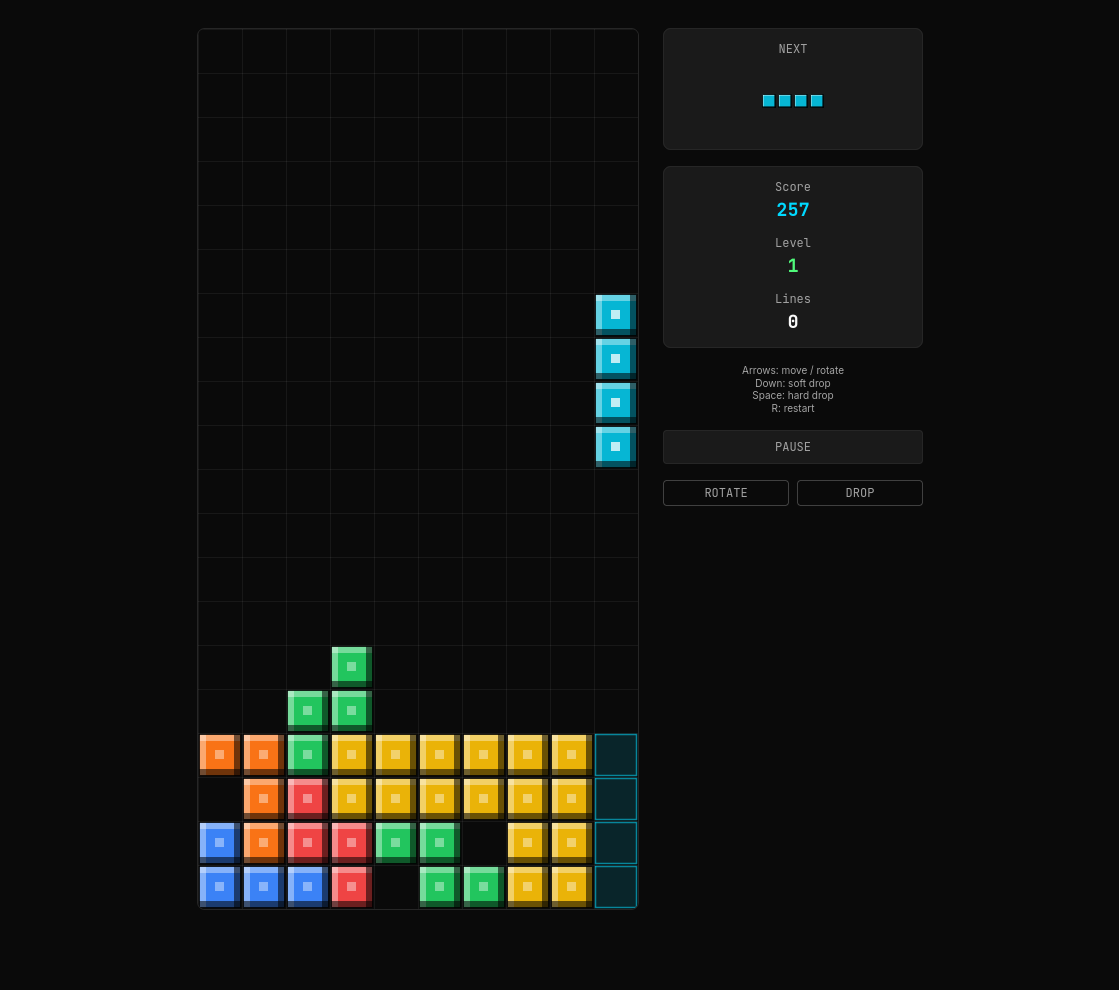
The screenshot shows the compact game surface: a 10-column board, a falling piece and ghost piece, the next-piece preview, score/level/line counters, and the pause, rotate, and drop controls. The same surface adapts to both the Classic and Modern portfolio variants.
Technologies
- Astro 7 for server-side routing and prerendered pages.
- React 19 island via
@astrojs/reactfor the game board and state management. - TypeScript strict mode across all components and types.
- Tailwind 4 (Vite plugin) for layout, spacing, responsive breakpoints, and design tokens shared with the rest of the portfolio.
- HTML5 Canvas for rendering the grid, active piece, ghost piece, and line-clear animation frames.
- Web Audio API for synthesized sound effects — line clears, soft drop, hard drop, tetris bonus, game over, and piece lock. No audio libraries or files required.
- Generated with the local Qwen3.6 35B MoE model (
Qwen3.6-35B-A3B-IQ3_S) as a demonstration of running capable large language models on consumer hardware without network dependencies.
Implementation notes
- The React island is registered explicitly for
/demos/tetrisand keeps its own game engine, rendering loop, audio synthesis, and fixtures alongside this document. - All UI colors reference the portfolio design tokens so the canvas overlay UI (buttons, score readouts, level indicators) automatically supports both Rony Classic and Modern visual variants.